For roofers, plumbers, HVAC and every local service crew
Get your evenings back. Keep your business in your hands.
LeverOS is the AI operating system for local service businesses. It answers leads, follows up quotes and replies to reviews, and nothing goes out until you say yes.
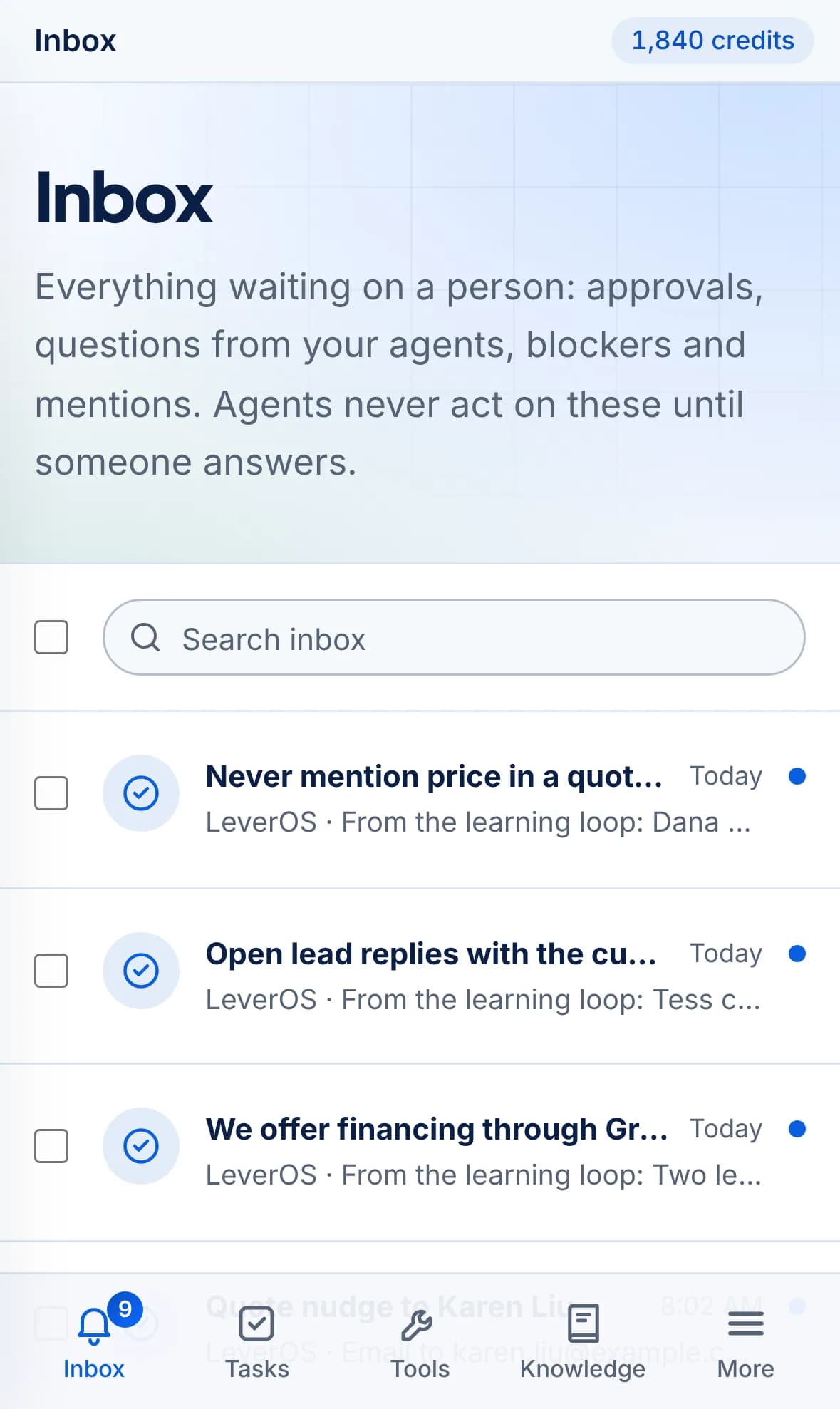
Works in your browser and installs on your phone.
The problem
You started a business to do the work, not to chase it.
The work gets done. Then the second shift starts: callbacks, quotes, reviews, schedules. It falls on you because you're the only one who knows how you want it done. So you become the bottleneck in the business you built.
Leads go cold while you're on a job
The call you missed at 10 AM booked with someone else by noon.
Quotes sit with no follow-up
You sent the estimate. Nobody nudged it. The job went quiet.
Reviews wait for a reply
Five-star praise and one-star gripes both sit unanswered for a week.
Crews and customers want updates
Every schedule change turns into an evening of texts and calls.
The person who does the work shouldn't have to do the paperwork at the kitchen table at 9 PM.
Your guide
We know you can't hand your business to a robot you don't trust.
That's why LeverOS was built around control. It does the busywork the way you would, under rules you write, and it asks before anything leaves the building.
Nothing sends without a yes
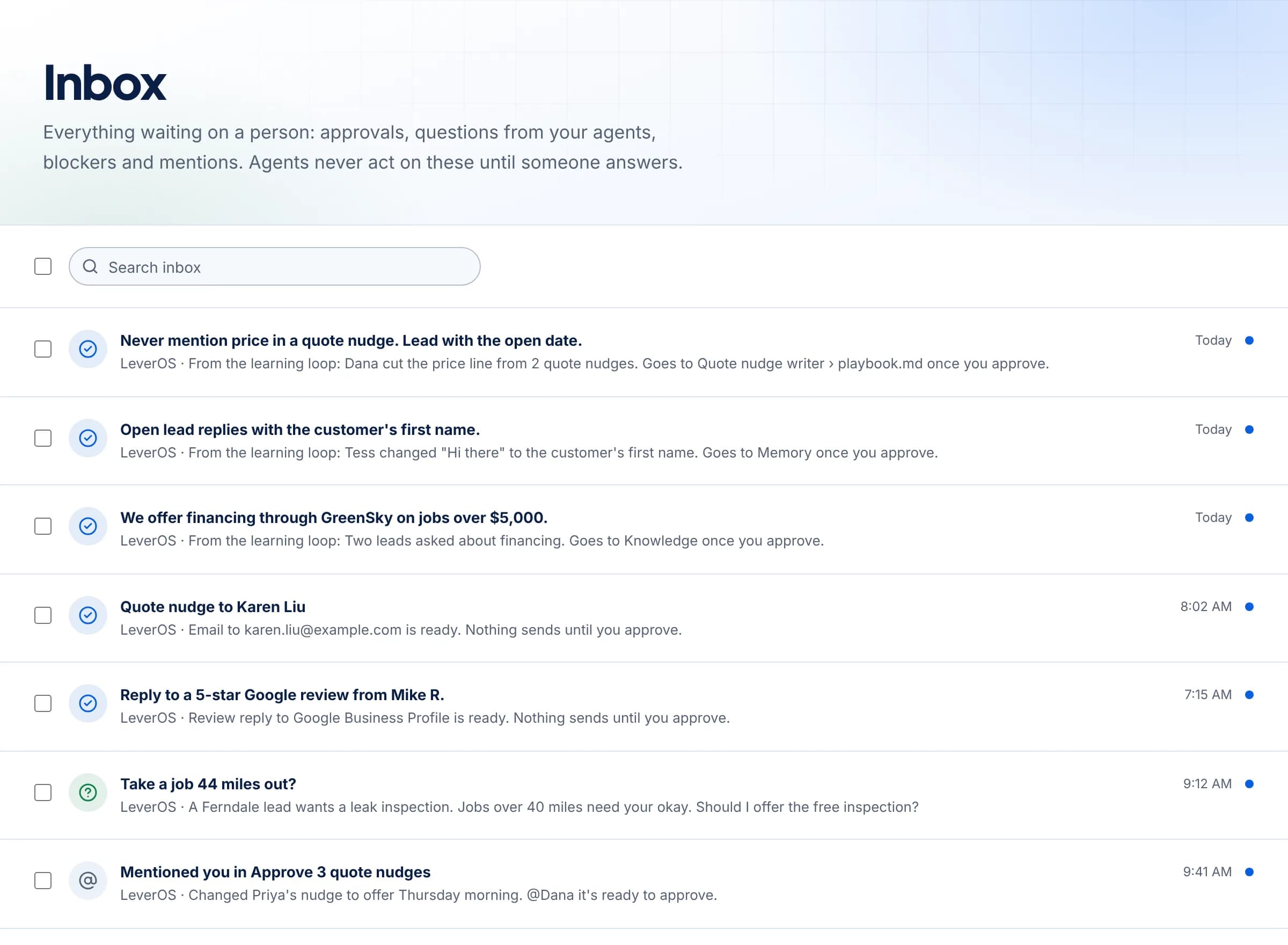
Every email, text and review reply waits in your Inbox until you approve it.
Your rules, every time
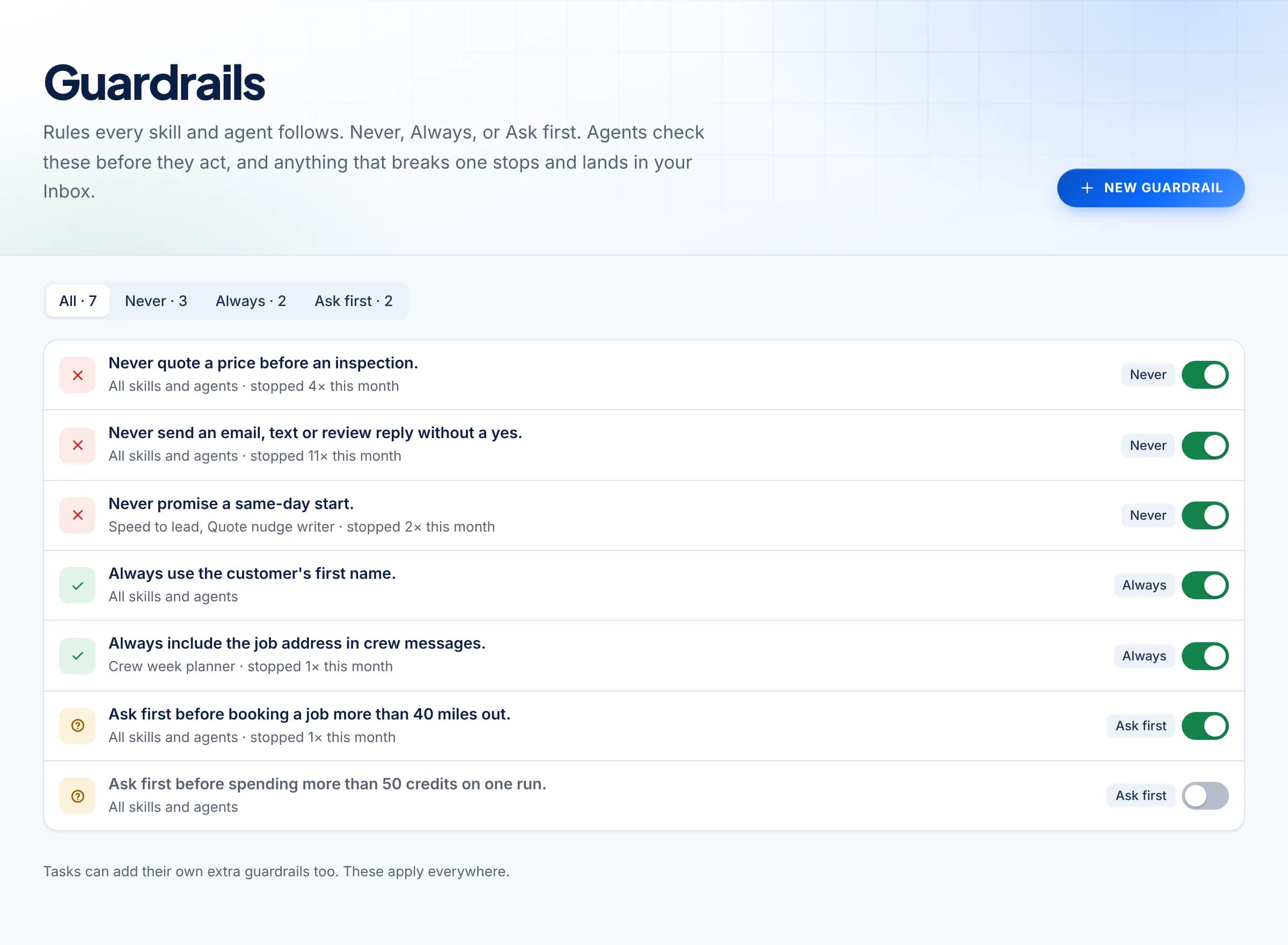
Never quote before an inspection. Always use the first name. Agents check before they act.
Learns how you work
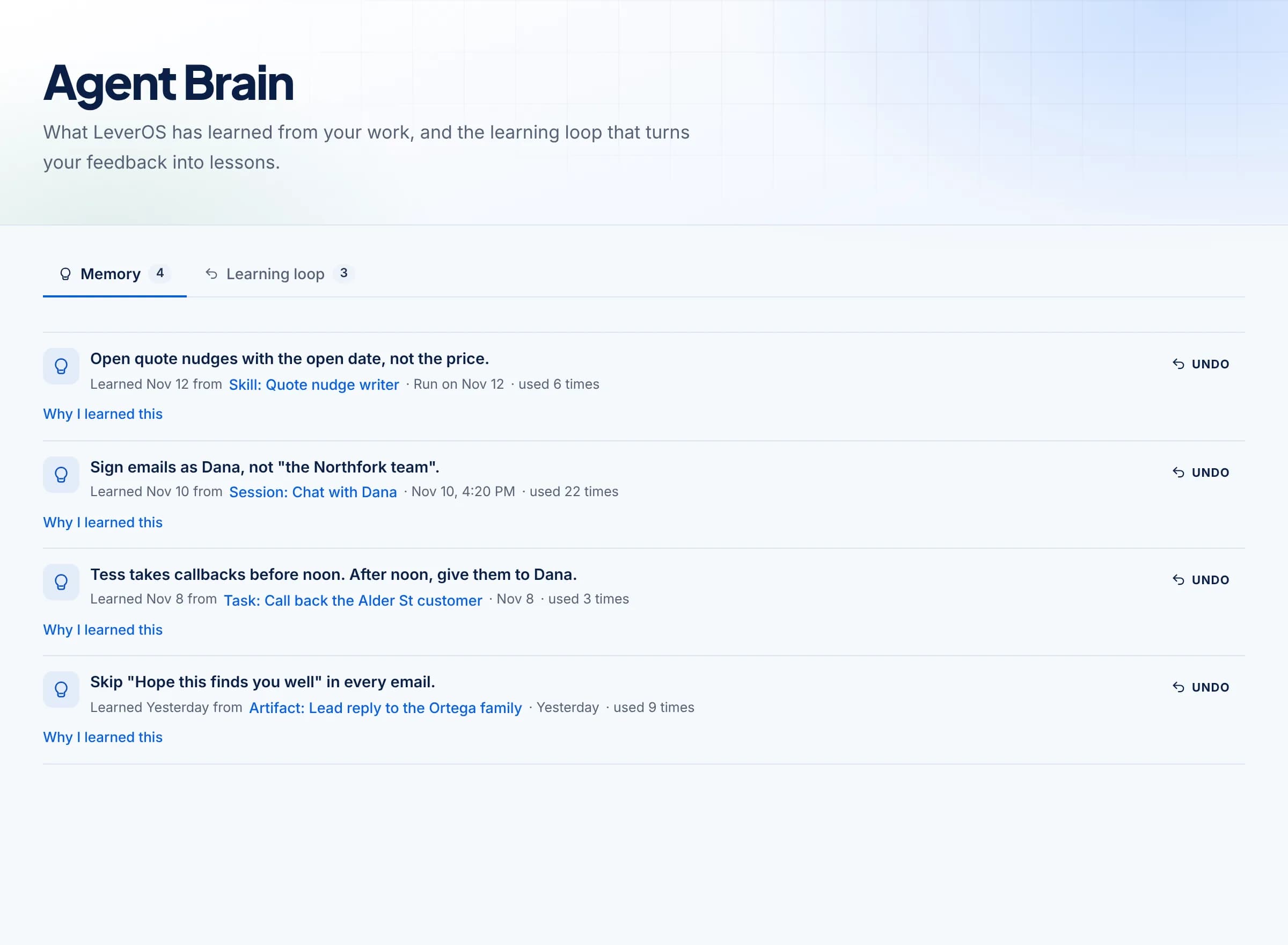
Edit a draft once and LeverOS remembers. You can see every lesson, and undo any of them.
The plan
Three steps to your first hours back.
No new software to learn on a job site. If you can read an email, you can run LeverOS.
- 1
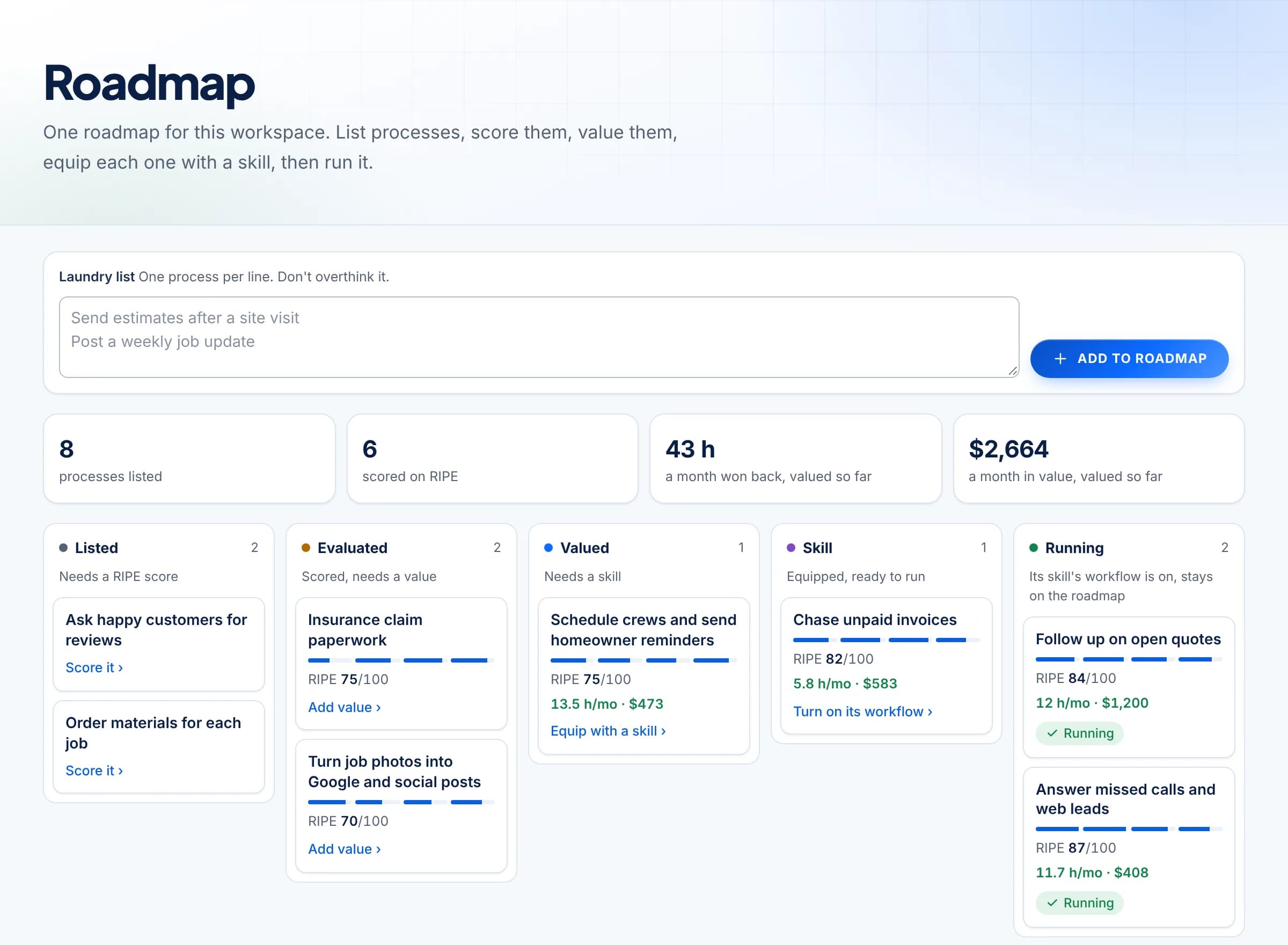
List what eats your week
Write down the jobs behind the job, one per line. LeverOS scores each one and shows the hours and dollars it's worth, so you start with the biggest win.
- 2
Set the rules
Tell it what it must never do, must always do, and when to ask first. Every skill and agent checks these before it acts.
- 3
Approve from your Inbox
Drafted replies, quote nudges and questions land in one Inbox. Tap approve from the truck, and LeverOS sends it.
What changes
A business that keeps moving while you're on the job.
Customers hear back fast. Quotes get followed up. Your crew knows the plan. And you go from the bottleneck to the owner who decides what happens next.
Hours back, counted
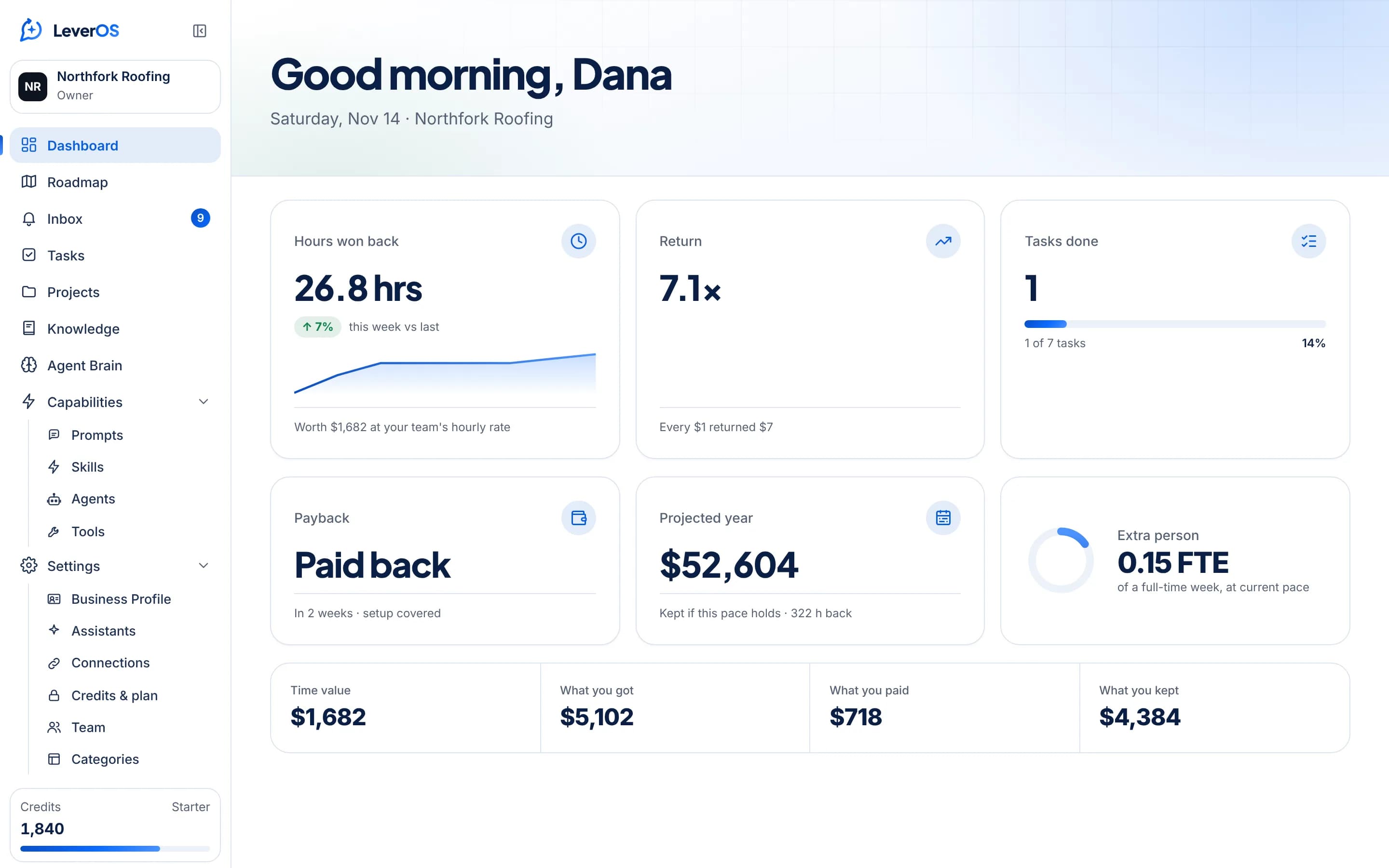
Your dashboard shows the hours won back, what they're worth, and when LeverOS paid for itself.
Every lead answered
Missed calls and web leads get a reply in minutes, in your voice, after you approve it.
Run it from your phone
Install LeverOS on your home screen. Your Inbox is a tap away between jobs.
Stop running the second shift.
Start with one process. Approve every message. Watch the hours come back.